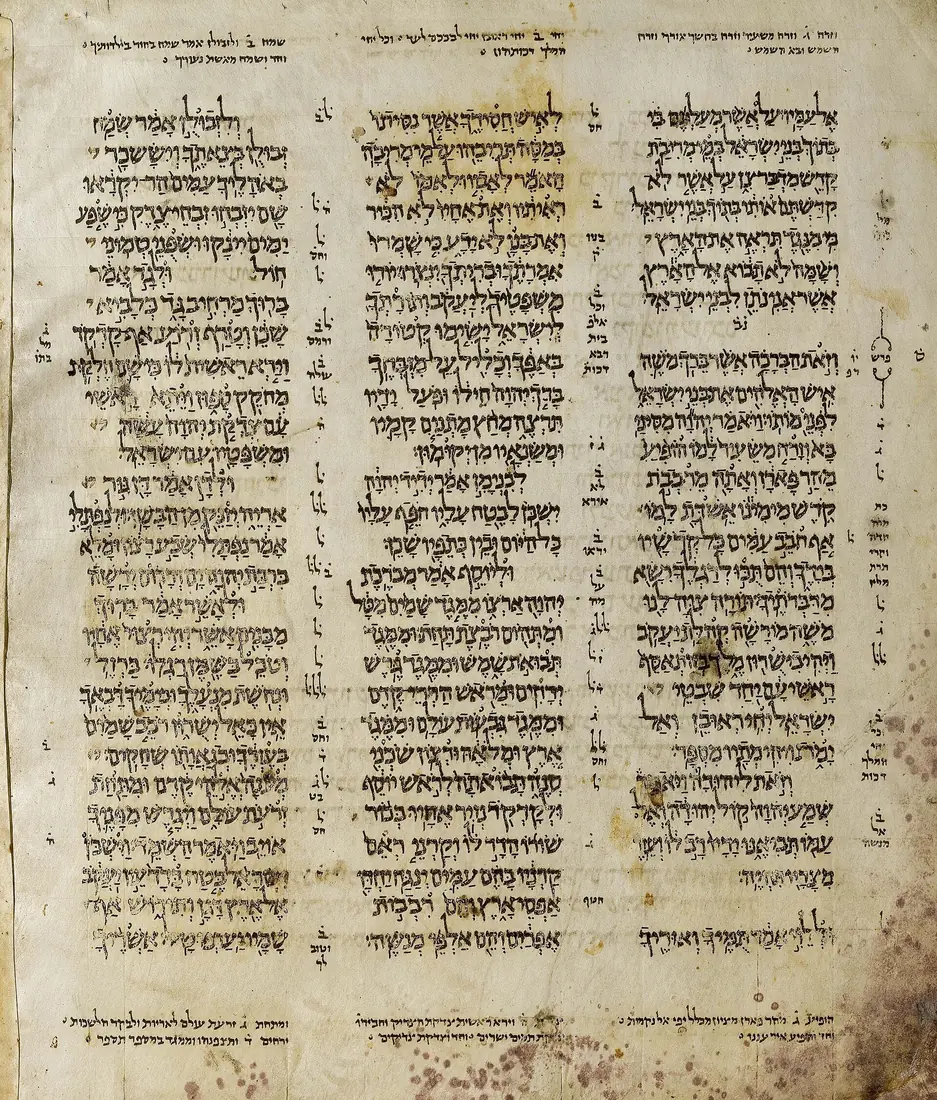
Darash · דָּרַשׁ — to seek, to inquire, to search out
Most Bible software hands you what someone else concluded. Darash hands you the text itself and the data beneath it — the Hebrew and Greek, the parsing, the lexicons, the cross-references — so you can see whether those things are so. The same engine also runs as one file on your own machine, with the network switched off.
Free 90-day trial — 250 calls a day, no card.
Why it is built this way
The name is a Hebrew verb — דָּרַשׁ dāraš H1875, to seek, to inquire, to study, to search out. It is what the Bereans did, and why Luke calls them noble.
They did not simply accept what they were told. Darash is built for that posture: not “take my word for it,” but “see whether these things are so.” Every verse it quotes, every Strong’s number, every cross-reference traces back to a source you can inspect. Nothing rests on its own say-so.
What English hides
In John 21, Jesus asks Peter three times whether he loves him. Every English Bible uses the same word all five times. The Greek uses two — and the weight of the passage sits in the difference.
| Verse | Jesus asks | Peter answers | KJV renders both |
|---|---|---|---|
| 21:15 | ἀγαπᾳς G25 | φιλῶ G5368 | “lovest thou me” / “I love thee” |
| 21:16 | ἀγαπᾳς G25 | φιλῶ G5368 | “lovest thou me” / “I love thee” |
| 21:17 | φιλεῖς G5368 | φιλῶ G5368 | “lovest thou me” / “I love thee” |
Twice Jesus uses ἀγαπᾶω; twice Peter answers with φιλέω. The third time Jesus comes down to Peter’s word, and the text records that Peter “was grieved because he said unto him the third time.” One question surfaces all five verbs, parsed.
| What varies | 21:15 | 21:16 | 21:17 |
|---|---|---|---|
| love | ἀγαπάω G25 | ἀγαπάω G25 | φιλέω G5368 |
| feed / tend | βόσκω G1006 | ποιμαίνω G4165 | βόσκω G1006 |
| lambs / sheep | ἀρνίον G721 | πρόβατον G4263 | πρόβατον G4263 |
| know | εἴδω G1492 | εἴδω G1492 | εἴδω G1492 + γινώσκω G1097 |
John varies four word-pairs across these three verses, not one. Whether the love-pair carries the weight of the passage, or is simply how John writes, is a judgement careful readers have divided over for a very long time — and it is not ours to make for you.
That is the point. We could have shown you one row and a conclusion. Darash hands you all four pairs, because that is what the text contains — and then you see whether those things are so.
Word-by-word morphology across 31,167 verses. V-PAI-2S becomes “Verb, Present, Active, Indicative, 2nd Person, Singular.”
Every answer traces to a text, a Strong’s number or a named lexicon. Your AI reads the sources instead of remembering them — which is the whole difference.
446,544 cross-references, etymology trees, a 105,668-edge synonym graph, and every other place the same root stands.
Who is behind it
Ten years, not ten months.
We are not an AI startup riding a wave. Since 2016 our publication engine has produced 4,268 digital parallel Bibles and study Bibles in 31 languages — the study Bibles with every word wired to Strong’s, gematria and cross-references — sold worldwide through Amazon, Apple Books, Kobo and Barnes and Noble. The same sources now answer your questions. AI is the newest tool in an old workshop.
The scholarly lexicons come with it — Brown-Driver-Briggs, Liddell-Scott-Jones and Abbott-Smith — included by default rather than sold as expensive add-ons. Plans, pricing and the free tier live on the store, one place, always current.
The publisher
Publifye AS is a Norwegian publishing house registered in Oslo, organisation number 826 774 622. It publishes Bibles and study Bibles, it builds the tools those Bibles are studied with, and it runs publishing infrastructure for churches and ministries. Darash is the research half of that work: the Hebrew and the Greek, handed to whatever AI you already use — raw materials and citations, not conclusions.
Darash — this engine. The Bible research engine your assistant calls over MCP: 59 texts, Strong’s Hebrew and Greek, morphology, 446,544 cross-references and 13 dictionaries.
Junifye — write and publish a book by talking to your AI. Your assistant edits the actual document, and every version is kept.
Lexifye — build your own dictionary and publish it. Define a word once and it stays in step across every work that links to it.
Tringine — design your own Bible and print it anywhere. Choose the translation, scope and trim; get a print-ready PDF and an EPUB3.
TruthBeTold Ministry — multilingual ePub Bibles. King James with Strong’s, parallel translations, thousands of editions — the catalogue the same sources were built for.
About Publifye AS — the Oslo publishing house behind Darash. Bibles since 2016; the AI tooling is the newest part of an old workshop, not the other way round.
On the road
It is Thursday evening. You are driving to a hospital visit, Sunday’s text is still unsettled, and the one question you actually need answered is what a single Hebrew verb is doing. You cannot open a lexicon at seventy kilometres an hour.
So you ask out loud. Claude calls Darash, reads the real entry, and tells you — the word, the stem, the Strong’s number, so you can check it when you park. Jørn Halseth, founder of Publifye AS, tested exactly this on his own phone. It works.
Set it up once on the web and it is simply there afterwards. Anthropic documents the carry-over: connect a service on Claude or Claude Desktop and “it will be available to use the next time you log in to your account on Claude for iOS or Android.” Nothing to install on the phone, nothing to sign in to twice.
And a tool beats a memory. Asked unaided, an assistant will produce a confident Strong’s number that does not exist. Pointed at Darash it stops guessing and reads. That is the largest single reduction in hallucination available to you — and by voice it costs nothing.
Grok works too. xAI documents custom MCP connectors at grok.com/connectors — add the server URL, complete its sign-in, and Grok discovers the tools. Connectors are live on Grok web, iOS and Android. Whether Grok’s voice mode reaches them is not documented, so we do not claim it.
ChatGPT cannot, yet. OpenAI documents MCP apps as “web only”, and voice mode as not supporting them.
What is inside it
Not a vague promise of “dictionaries and translations”. This is the actual list of what ships inside Darash — every Bible, every lexicon, every reference book. Search it or filter it here.
Originals: the Leningrad Codex (Hebrew, c. 1008) and the Byzantine Greek text. KJV Strong’s is tagged word-by-word, so an English word links straight to its Hebrew or Greek entry.
The numbering everything else hangs on — with more than 14,000 lexicon entries standing behind it. Short gloss, full definition, and every KJV rendering.
The standard scholarly Hebrew lexicon — the reference Hebrew students are sent to, in full.
Manual Greek lexicon of the New Testament, noting Septuagint usage for each headword — how the Greek Old Testament already used the word.
Classical Greek — what a word meant in Greek at large, not only in the New Testament. This is how you tell a technical sense from an ordinary one.
We rebuilt the complete Thayer ourselves from the 1889 Corrected Edition — all 716 pages transcribed, two passes collated at 98.9% agreement, every entry verified against the page images. As far as we know, the only complete digital Thayer in existence — and it is entering Darash now.
4,515 hapax legomena, a synonym graph of 8,281 Hebrew and 4,975 Greek nodes, etymology trees three levels deep, gematria in three methods, word frequency, and the pictographic origin of all 22 Hebrew letters.
One question searches all thirteen at once and returns only the works that actually have an entry.
You never type these names. You ask in plain words — “what does the Hebrew in Genesis 1:1 actually say?” — and your AI picks the right one.
Performance
Fast enough to happen mid‑sentence.
The engine answers in tens of milliseconds, so the lookup lands inside the conversation — your assistant checks the Hebrew mid-answer and keeps talking. Darash stops being a place you go and becomes part of the discussion.
These are Darash’s own timings — median of seven runs measured at the engine, which is the part that actually belongs to us: finding, parsing and returning the answer. Bars are to scale against the blink.
Your round-trip sits on top. How much depends on where you are, your connection and how your traffic is routed — from the same region that is usually tens of milliseconds; from the other side of the world it can be a few hundred. That part is distance, and distance is physics rather than software. We publish our share because it is the share we can answer for.
How the connection works
Inside Claude, Grok or any MCP client there is a connectors page. You add Darash there once and complete a normal sign-in — the same OAuth handshake you already use when a site offers “continue with Google.”
From that moment your assistant holds a key issued to you. It is not using our demo account or some shared pool; it is authenticated as you, with your entitlements and your quota. When it looks something up, it does so on your behalf — and the same handshake covers the other two: Junifye for writing and publishing, Lexifye for your dictionaries.
That is what turns a chat window into a study. You are no longer copying answers out of a tool and pasting them somewhere else. You ask; your agent goes to the library, reads, comes back, writes it up in your document, and files the term in your dictionary — all under your own name, all without leaving the conversation.
Revoke it whenever you like, from the same page you added it on. Nothing is installed and nothing is left behind.
One sign-in, three services, and an assistant that can move between them without asking you to fetch anything.
The other half — Junifye
Research that stays in a chat window evaporates. Junifye is the other half of the workshop — it holds your book the way Darash holds the Bible. So your assistant does not hand you text to copy: it opens your document and edits it, and the change is there next time you look.
Junifye exposes your book to your AI the way Darash exposes the Bible. So an instruction in plain words becomes a real edit:
| You say | It does |
|---|---|
| “Add a paragraph on kaphar to chapter three” | writes the paragraph into that chapter |
| “Tighten that last sentence” | patches the text in place |
| “Quote Leviticus 16:30 there, properly” | inserts the verse as a real citation |
| “What changed since yesterday?” | shows you the diff |
| “No — put it back” | reverts to the previous version |
| “Send me the PDF” | typesets and exports it |
Every version is kept, so nothing your assistant writes is unrecoverable. You can always see what changed and undo it.
This is the part people do not expect. The connector follows you to the Claude app, and voice mode reaches it — so you can dictate an edit to your own book while you are driving.
A line occurs to you on the way home. You say it out loud. Your assistant checks the Hebrew in Darash, writes the paragraph into the right chapter of your document in Junifye, and files the term in your Lexifye dictionary so a reader can click it. By the time you are at your desk the work is done and waiting, with the version history to prove what changed.
It does not have to start as writing, either. Talk the topic through on the drive — argue with it, test a reading, chase a word — and as you go, have it drop the terms you settle into Lexifye. You are not composing yet; you are thinking out loud and leaving a trail.
Then, when the thinking has a shape, couple that dictionary to the document. The terms you defined along the way become the underlying notes for the piece — a sermon, a group study, a chapter — each word already defined, sourced and clickable for whoever reads or sits under it. The conversation you had in the car turns out to have been the preparation.
No laptop, no copy-paste, no “I’ll write that down later” — which is where most study actually dies.
Which plans. Junifye and Lexifye come with the Complete Trio and with Darash for Organizations. Darash Solo is the research engine on its own — you can upgrade to the bundle at any time.
Getting started
Darash is a research engine with dozens of tools, Strong’s codes and morphology tags underneath it — and you never touch any of that. You ask in plain words; your assistant picks the right tool, reads the sources and brings back the answer with its references. Darash is for people who study Scripture, not people who administer software.
250 calls a day for 90 days, no card — counted from your first connection, not from sign-up. Enough to work through many passages properly before you decide anything.
In Claude — on the web or on your phone — open connectors, give it a name and the URL https://darash-api.publifye.pro/mcp, and sign in. Claude registers itself: there is no key to copy, no config file, nothing to install. Other assistants, and anyone self-hosting, install the engine themselves — the connect page walks through that.
“What’s the Hebrew behind ‘living water’ in Genesis 26:19?” The answer arrives with the word, its Strong’s number and where else it stands — so you can verify it yourself.
Who it is for
Check the word before you preach it. Find every other place the root stands, and see how the passage reads across 59 texts — in minutes, not an evening.
Sit under Brown-Driver-Briggs, Abbott-Smith and Liddell-Scott-Jones without owning a shelf of them. Ask why a form is what it is, and get the parsing with the answer.
Compare renderings across 36 languages, settle a word against the text rather than a hunch, and quote it correctly the first time.
No Hebrew, no Greek, no training required — only the willingness to look. You bring the question; the library and your AI do the reaching. You will finish knowing more than you did.
Darash is an MCP server over HTTP at darash-api.publifye.pro/mcp — 33 tools covering the text, Strong’s, morphology, cross-references and the dictionaries. Point Claude Code, Cursor or your own agent at it with a personal API key. No SDK to learn and no corpus to ship.
Teams who need the engine for a group rather than a person: everyone gets full research access without each buying a subscription, and without your usage metered call by call. That is Darash for Organizations, quoted to your size.
Questions people actually ask
Darash is a Scripture research engine for the Hebrew and the Greek, built by Publifye AS, a publishing house in Oslo. It speaks the Model Context Protocol, so the AI assistant you already use — Claude, Cursor, Claude Code or your own agent — reads the primary texts alongside you: 59 Bible translations in 36 languages including the Leningrad Codex and the Byzantine Greek, Strong’s Hebrew and Greek, word-by-word morphology, 446,544 cross-references, four scholarly lexicons and 13 reference works. It hands you the raw materials with their citations attached, and your AI works through them beside you — following the threads you ask it to follow and showing its working, so every claim lands back on the text where you can check it.
Any MCP client. In Claude you add it on the connectors page and it follows you to the phone app, voice mode included. Grok documents custom MCP connectors on web, iOS and Android, though whether its voice mode reaches them is not documented, so we do not claim it. OpenAI documents MCP apps in ChatGPT as web only, and not in voice. Cursor, Claude Code and your own agent connect with a personal API key.
No. It is a research engine. A reader hands you someone’s conclusion; Darash hands you the text and the data underneath it — the Hebrew and Greek, the parsing, the lexicons, the cross-references — so you can see whether those things are so. If you want something to read on a phone, this is the wrong product.
No, and that is the point. Darash is an MCP server, so it plugs into the AI you already use — you keep your assistant, your habits and your notes, and it gains the scriptures. You paste one URL and your key. There is nothing to install and no second place to keep your work.
Read access to the whole engine over MCP with your own API key: 59 Bible texts in 36 languages, Strong’s Hebrew and Greek with the full lexicons behind them, morphology on every word, 446,544 cross-references, 13 reference works, semantic search, gematria and etymology. There is no smaller tier that holds some of it back — Solo is the engine.
Yes — 90 days free, 250 calls a day, no card. That is the real engine, not a demo corpus: the same 59 translations, the same lexicons, the same cross-references. 250 calls a day is a working day of study, not a teaser. When the trial ends, or you outgrow the daily limit, the current price is shown on the store.
Yes — that is Darash for Organizations, which is priced by arrangement rather than off the shelf, because a seminary and a small congregation are not the same purchase. Ask for a quote from the store and say roughly how many people it is for.
Yes — that is the point of it. Self-hosted puts the binary inside your own network and your own infrastructure, so scripture queries from your students or staff never leave it. We also host it for you if you would rather not run anything. To be exact about what does leave: the instance checks its licence with us, and periodically reports an aggregate call count — a number, for licence administration. No query, reference, search term or result is ever sent.
Any time, from your account. It is a monthly subscription, so cancelling stops the next charge and your key keeps working to the end of the period you have already paid for. Nothing you have already studied or exported is taken away.
Every plan, what each one includes and the current price live on the store — one place, always current. See Darash plans and pricing
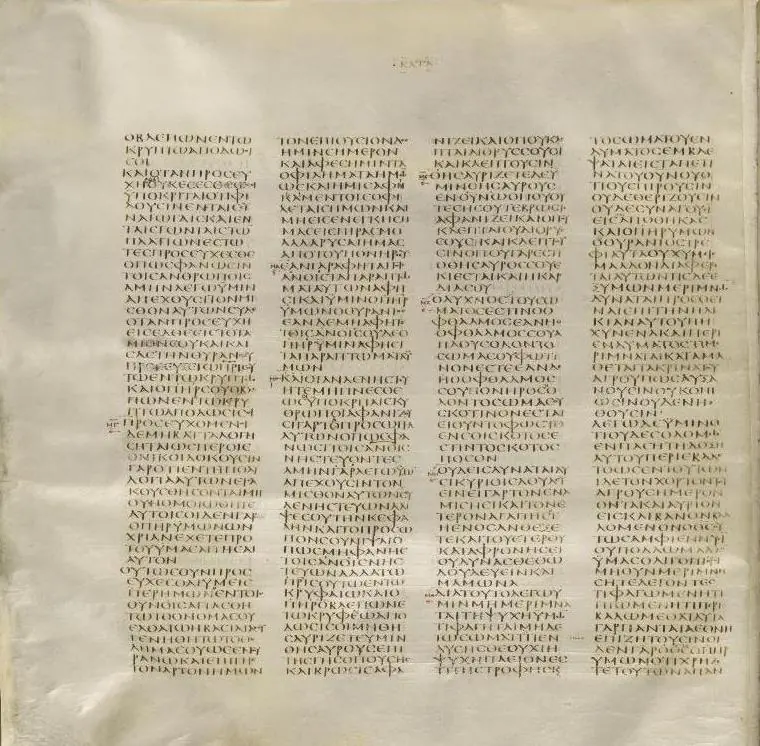
Darash will show you what the text says — including where that is inconvenient, and including where the honest answer is that the evidence does not settle it. It cites its sources so you can check it, and so can anyone you teach.
See plans & pricing Read a worked study
Plans, pricing and the free tier live on the store — one place, always current.